Dino Duel devlog1 min read
Dino Duel 0.6.2: saved parties, dino mastery, and in-app updates
Keep three named parties, watch your favorite dinos rank up, and get new versions without a trip to the Play Store.
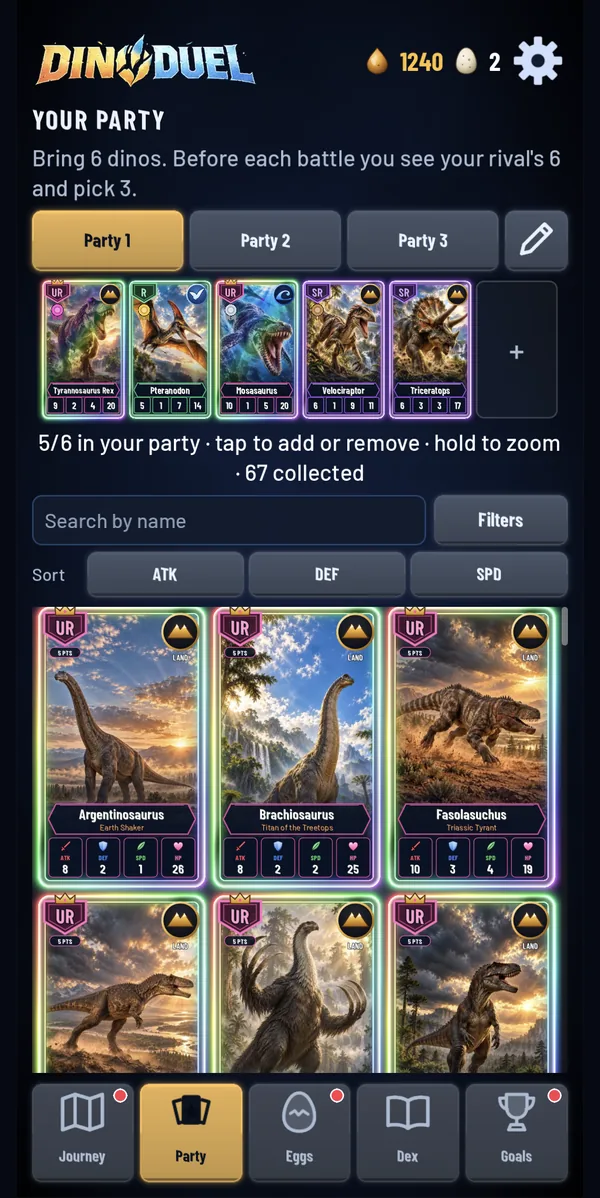
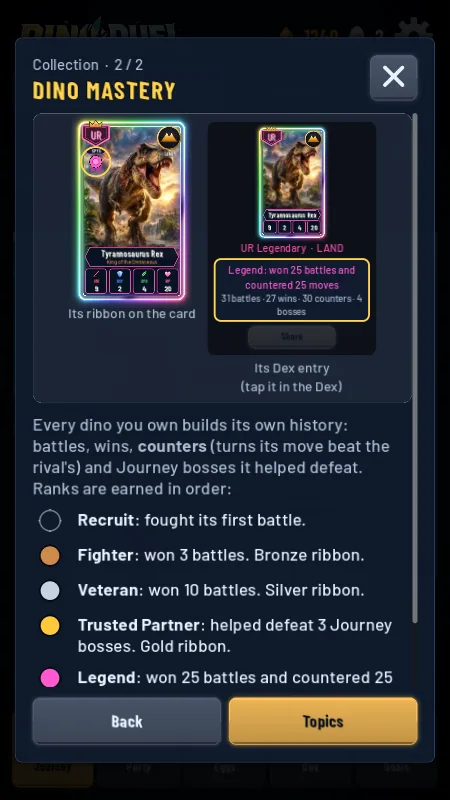
Feedback from my own playtesting and from testers after 0.6.0 had a theme: people wanted to see their history, keep more than one party, spot new dinos, and have a reason to keep using their favorites. 0.6.2 adds:
- Saved parties. Keep up to three parties, name them, and switch between them before a battle.
- Dino mastery. Every dino you own builds its own history as it battles with you, earning ranks and a ribbon for each.
- New dots. Newly hatched dinos get a dot until you check them out.
- Hatch history. The Eggs tab shows your last 50 clutches and what each egg gave.
Updates without a trip to the Play Store
Closed testers weren't getting new versions on their own. Google Play's automatic updates are slow and run on Play's own schedule, so testers only updated when I told them to. 0.6.1 added Google Play's in-app update prompt, using an open-source Godot plugin that wraps Google's update library, rebuilt for Godot 4.7.2. 0.6.2 is the first version it could offer.
It worked. On my phone, with 0.6.1 installed from Google Play, a strip appeared on launch saying a new version of Dino Duel was out. Tapping Update downloads it in the background while you keep playing, and Restart installs it and reopens the game. If an update has been waiting for seven days, Play shows its full-screen prompt instead.